
Articles · Lessons
Tarot Card Scanning: How the App Reads Your Paper Deck
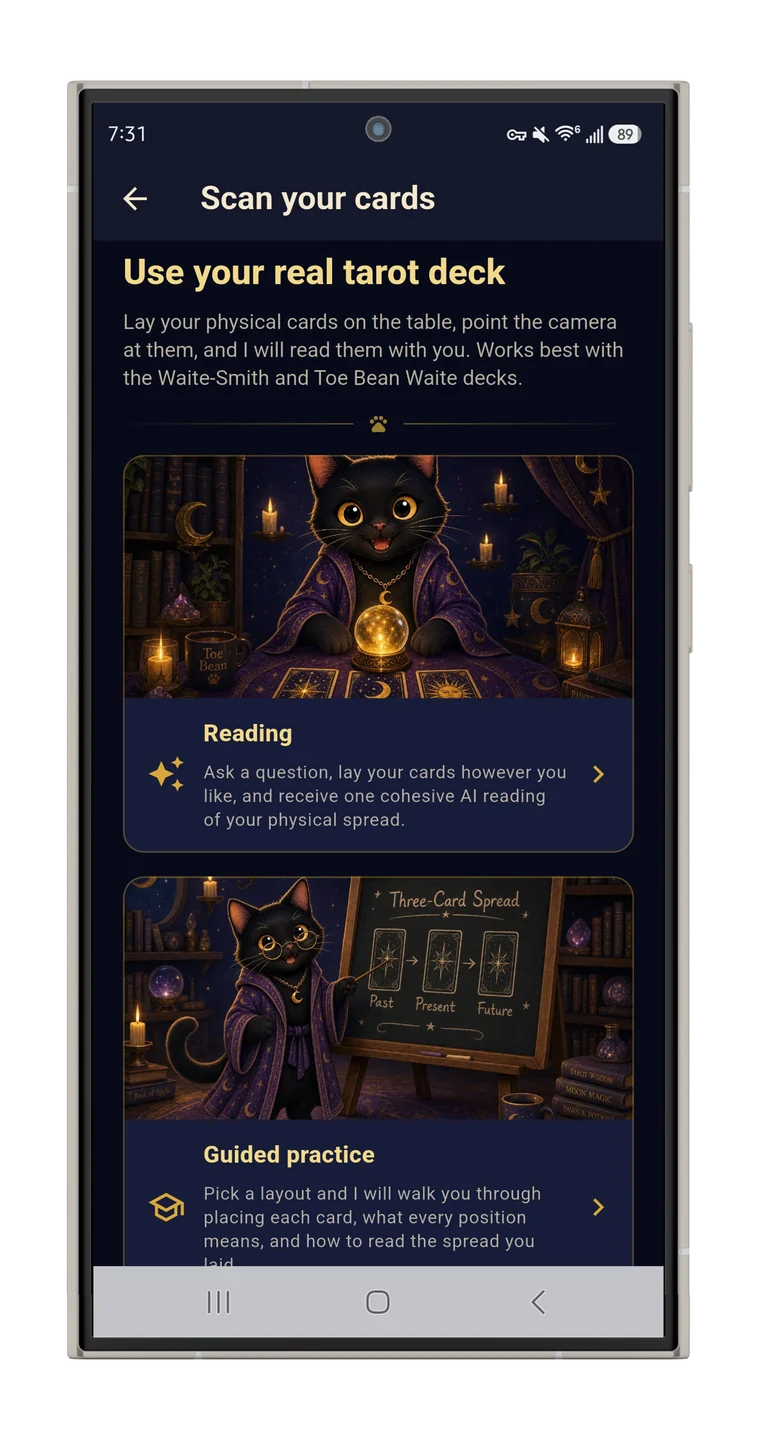
Tarot card scanning means your phone reads the spread on your table. You ask a question, lay out your physical cards however you like, photograph them, and the app identifies each card (name and upright or reversed), rebuilds your layout on screen, and writes one interpretation of the whole spread. Your deck stays in your hands; the app does the looking up.
How the recognition works
- First pass, on your phone. A fast on-device matcher identifies the cards instantly, with no network and no usage cap.
- Fallback, in the cloud. If the photo is tricky (dim light, overlapping cards, an unusual deck), a cloud vision model takes a second look. That fallback is capped at 5 scans a day to keep the service sustainable.
- You get the last word. After any scan you can correct a misidentified card, add one the scanner missed, or remove an extra. A crooked photo never blocks the reading.
One honest note: recognition is most reliable with Waite-Smith-style decks, the imagery most modern decks descend from. Other art styles get best-effort recognition plus that manual correction. If you're still choosing a paper deck, the best tarot deck for beginners explains why a Waite-Smith-pattern deck is the right first one anyway.
Two ways to use it
- Reading mode. Lay out any spread your way, photograph it, get one cohesive interpretation. Fastest path from table to reading.
- Guided practice mode. Pick a layout (Single Card, Past-Present-Future, or the Celtic Cross) and the app walks you through placing each physical card, position by position, with a diagram of where each card goes. After the photo, it steps through every card with its meaning and a short reflective prompt before the full reading. It's the best way we know to learn spreads with real cards in your hands.
Why bother, when the app has digital cards?
Because the ritual matters to a lot of readers, and it should get to stay. Shuffling cardstock, laying cards on a table you cleared, turning the Challenge card sideways yourself: that's the part of tarot a screen flattens, and the case for paper we lay out in digital tarot vs. a physical deck. Scanning keeps that, and adds what paper can't do alone: every physical reading lands in your journal, searchable, with the interpretation attached.
As far as we know, this bridge is the Toe Bean Tarot app's alone among the apps we compared: none of the others read a physical deck. Android only.
Quick answers
Does it work with any deck?
Best with Waite-Smith-style decks; others get best-effort recognition, and you can correct any card before the reading.
Does scanning cost extra?
No. On-device recognition is unlimited; only the cloud fallback for tricky photos has a daily cap of 5.
What about reversals?
The scanner notes each card's orientation, so reversed cards come through as reversed.