
Articles · Lessons
The Best Tarot Apps in 2026 (Tested by People Who Read Cards)
The best tarot apps in 2026 split into two camps: apps that pull cards for you, and apps that teach you to read the cards yourself. Decide which camp you're in and the choice gets easy, so this list is organized by what each app is best at.
One thing before we start: we make one of these apps. So here's the deal. We'll say plainly what every app on this list does well, including the ones that compete with ours, and we'll be just as plain about our own app's limits. A list you can trust beats a sales page you'll close.
The short version
- Best for learning to read tarot: Toe Bean Tarot (ours, and we'll show our work below)
- Best free study app: Labyrinthos
- Best free reference on Android: Galaxy Tarot
- Best looking daily draw: Mystic Mondays
- Best minimalist free draw: Golden Thread Tarot
Toe Bean Tarot: best for learning to read
Most tarot apps hand you a card and a paragraph. Ours is built around a different promise: that you'll stop needing the paragraph. There's a complete guided course (98 lesson sections, from "what is tarot" through the Celtic Cross), quizzes, and spaced repetition that resurfaces a card right before you'd forget it. Around the course sits a daily card, AI readings that treat your whole spread as one story instead of three separate paragraphs, and a journal that shows the patterns in what you draw.
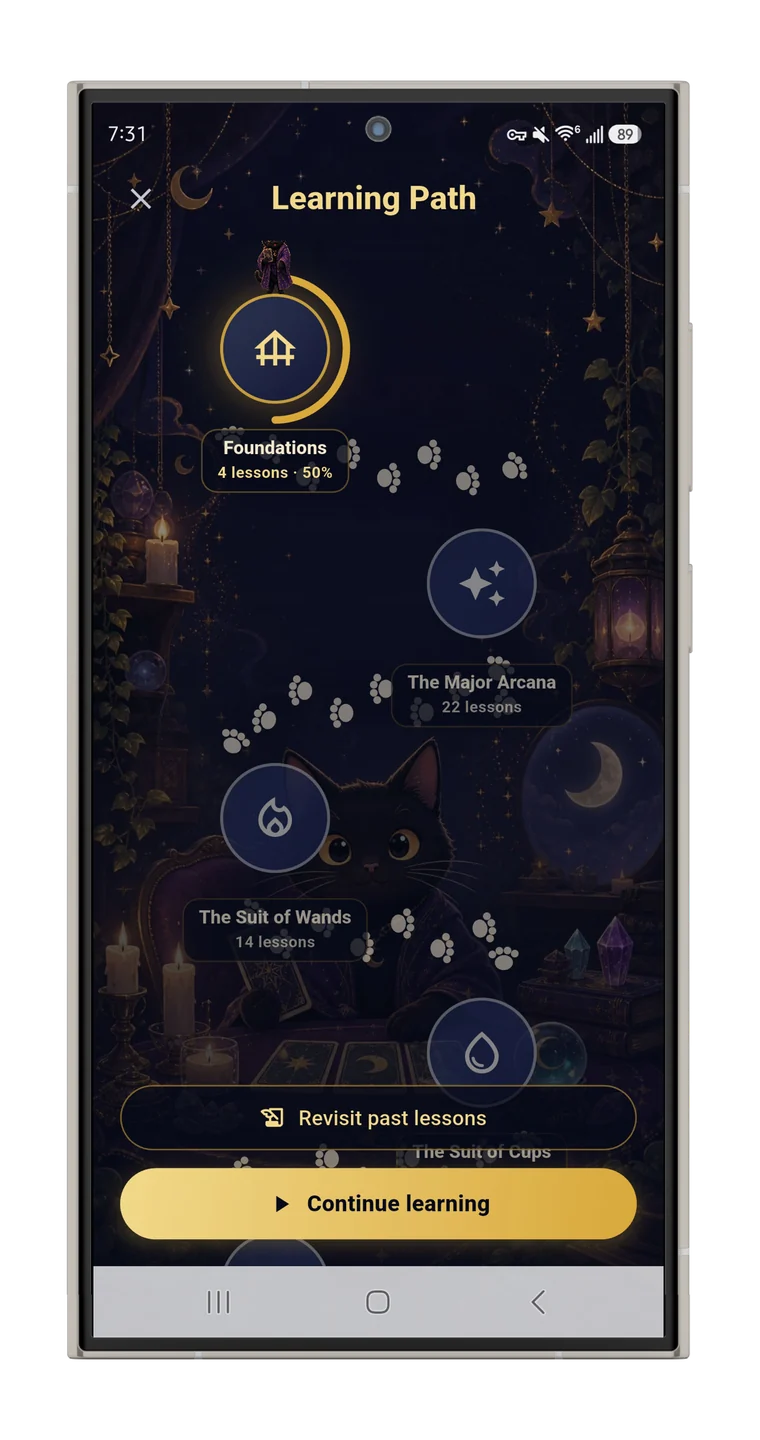
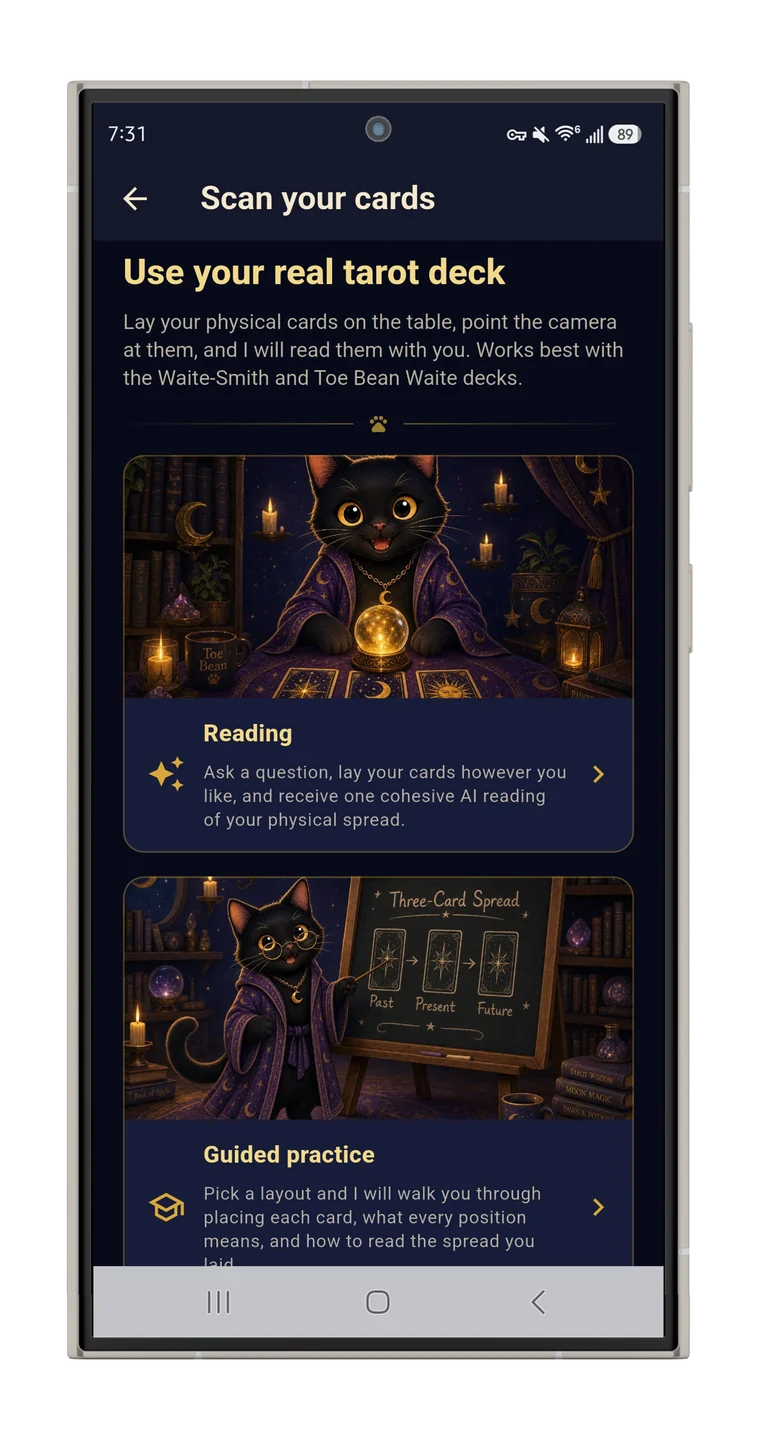
The trick nothing else here does: it reads the deck in your hands. Lay out your paper cards, photograph the spread, and the app identifies each card, rebuilds your layout, and interprets what's on your actual table (here's how the scanning works).
The honest limits: it's a paid app ($7.99 a month, with a two-week trial to decide), it's Android only only, and AI readings have a daily cap to keep the service sustainable. If you just want an occasional quick card pull, one of the apps below fits better.
Labyrinthos: best free study app
Labyrinthos is the standard recommendation for studying tarot free, and it earns it. Flashcard-style lessons drill card keywords, you level up an avatar as you go, and it covers lenormand and runes alongside tarot. Its several original decks are lovely, the app is ad-free, and there's a journal plus a stats view of your reading history.
The catch: it teaches keywords more than readings. Interpretations come from a fixed meanings database, so they don't respond to your specific question or how the cards sit together. Great study tool; you'll outgrow the readings.
Galaxy Tarot: best free reference on Android
An Android fixture for over a decade. The free version gives you a card of the day, thorough card meanings, and an unusual feature we wish more apps copied: browsing cards by shared symbols and associations (elements, zodiac, numbers). The paid upgrade adds more spreads and journaling.
The catch: it's a reference, not a course. There's no learning path, no review system, and no interpretation beyond the fixed card texts. Think encyclopedia, not teacher.
Mystic Mondays: best looking daily draw
If card art is what gets you to show up, Mystic Mondays is the pick. Its neon, high-color deck is unmistakable, the daily card tracks on a calendar so streaks are visible, and there's a journal plus oracle decks on the side.
The catch: everything is built around its own deck's style. If you're learning classic Waite-Smith symbolism (the imagery most books and readers use), the art won't match what you're studying.
Golden Thread Tarot: best minimalist free draw
From the same creator as Labyrinthos, with striking gold-on-black line art. It does a few things quietly and well: daily draws, logging your readings, and tracking which cards keep appearing.
The catch: it's the older sibling. Labyrinthos does everything Golden Thread does and more, so pick this one for the aesthetic, not the features.
How to choose
- You want to learn to read, not just pull cards: Toe Bean Tarot, or Labyrinthos if it needs to be free.
- You want a quick free meanings lookup: Galaxy Tarot on Android.
- You want a pretty one-card ritual: Mystic Mondays, and our guide to the daily one-card draw works in any app.
- You own a paper deck and want your phone to work with it: Toe Bean Tarot is the only one here that reads physical cards.
Whichever you pick, an app works best as one leg of a stool. We wrote an even-handed comparison of apps vs. books vs. courses, and if you're starting from zero, the complete beginner's roadmap puts the whole path in order.
Quick answers
Can you learn tarot from an app?
Yes, if the app teaches instead of just dealing. Look for sequenced lessons, quizzes, and spaced review. A meanings list is a reference, not a teacher. The longer answer is in can you learn tarot with an app.
What's the best free tarot app?
Labyrinthos for studying, Galaxy Tarot for an Android reference. Both are genuinely usable without paying; free vs. paid tarot apps covers where the line sits.
Is there an app that reads physical cards?
Toe Bean Tarot does. Photograph your spread and it identifies the cards and interprets the layout on your table.
Do digital readings count?
The cards don't mind. A digital shuffle is as random as a paper one; the reading still depends on your question and your honesty about the answer. More in digital tarot vs. a physical deck.
Every guide in this series
- The best tarot learning apps (and what to look for)
- Can you learn tarot with an app? What works and what doesn't
- Digital tarot vs. a physical deck: do the cards care?
- Tarot card scanning: how the app reads your paper deck
- Are AI tarot readings any good? An honest look
- Free vs. paid tarot apps: what you get for money
- Is it okay to read tarot on your phone?